Skip to content
Device Dossier
  • Home
  • Guide
  • Printer
  • Comparison
Device Dossier
  • Why Is My Printer Smearing Wet Ink on the Final Output?
    Guide

    Why Is My Printer Smearing Wet Ink on the Final Output?

    ByRumi June 1, 2026June 1, 2026

    You just hit “Print” on an important document. The printer hums along, the paper slides out, and then you see it: wet ink smeared across the page. The text is blurry, the images look dragged, and your fingers come away stained. This problem wastes paper, ink, time, and patience. Printer smearing affects both inkjet and…
    Read More Why Is My Printer Smearing Wet Ink on the Final Output?Continue

  • How to Stop Frequent Automatic Firmware Updates on Printers?
    Guide

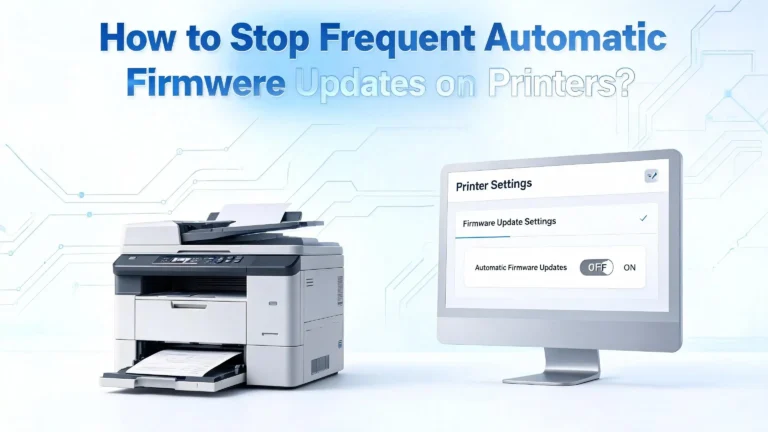
    How to Stop Frequent Automatic Firmware Updates on Printers?

    ByRumi June 1, 2026June 1, 2026

    Has your printer ever stopped working right in the middle of an important print job because of a firmware update you never asked for? You are not alone. Millions of printer owners deal with this exact problem every year. Automatic firmware updates on printers from HP, Epson, Canon, and Brother can cause serious headaches. They…

    Read More How to Stop Frequent Automatic Firmware Updates on Printers?Continue

  • How to Fix Incorrect Colors Printing on Glossy Photo Paper?
    Guide

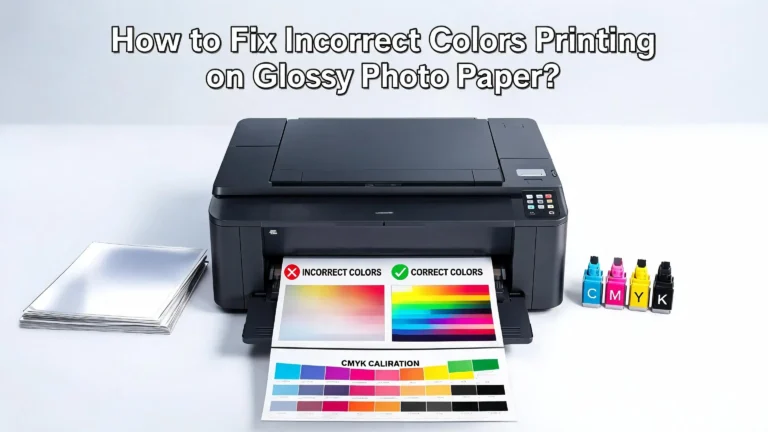
    How to Fix Incorrect Colors Printing on Glossy Photo Paper?

    ByRumi May 29, 2026May 29, 2026

    Printing photos at home feels rewarding until you pull a glossy sheet from your printer and notice the colors look nothing like the screen. Skin tones look orange. Skies look purple. Greens look muddy. The frustration is real, and the wasted ink and paper hurt your wallet. The good news is that incorrect colors on…

    Read More How to Fix Incorrect Colors Printing on Glossy Photo Paper?Continue

  • Why Does My Printer Print a Test Page Every Time I Turn It On?
    Guide

    Why Does My Printer Print a Test Page Every Time I Turn It On?

    ByRumi May 29, 2026May 29, 2026

    You press the power button on your printer. Within seconds, a sheet rolls out covered in colored lines, boxes, or alignment marks. You did not ask for it. You do not need it. Yet it happens every single time you switch the printer on. This problem wastes paper, drains ink, and tests your patience. The…

    Read More Why Does My Printer Print a Test Page Every Time I Turn It On?Continue

  • How to Fix Crooked Printing on Cardstock and Thick Paper?
    Guide

    How to Fix Crooked Printing on Cardstock and Thick Paper?

    ByRumi May 26, 2026May 26, 2026

    You load a fresh stack of cardstock into your printer, hit print, and the result comes out tilted, skewed, or completely off-center. Frustrating, right? You are not alone. Crooked printing on cardstock and thick paper is one of the most common printing problems people face at home and in offices. The good news is that…

    Read More How to Fix Crooked Printing on Cardstock and Thick Paper?Continue

  • Why Is My Printer So Slow on Wi-Fi?
    Guide

    Why Is My Printer So Slow on Wi-Fi?

    ByRumi May 26, 2026May 26, 2026

    You hit print. You wait. You wait some more. Then you walk over to the printer and find it barely moving. If your printer is crawling on Wi-Fi, you are not alone. Millions of people deal with this exact problem every day, and the frustrating part is that it rarely has just one cause. Slow…

    Read More Why Is My Printer So Slow on Wi-Fi?Continue

  • How to Stop a Printer From Waking Up From Sleep Mode Constantly?
    Guide

    How to Stop a Printer From Waking Up From Sleep Mode Constantly?

    ByRumi May 24, 2026May 24, 2026

    You send your last print job, walk away, and expect your printer to rest quietly until you need it again. But then you hear it. That familiar whirring sound, the display lighting up, and the warming cycle starting all over again. Your printer keeps waking up from sleep mode on its own, and you have…

    Read More How to Stop a Printer From Waking Up From Sleep Mode Constantly?Continue

  • Why Is the Printer Touchscreen Not Responding to Swipes?
    Guide

    Why Is the Printer Touchscreen Not Responding to Swipes?

    ByRumi May 24, 2026May 24, 2026

    You tap the screen. Nothing happens. You swipe left, swipe right, and still nothing. Your printer touchscreen has gone completely unresponsive, and you have a stack of documents waiting to print. This is one of the most frustrating printer problems people face today. Modern printers from HP, Canon, Brother, Epson, and Xerox all rely on…

    Read More Why Is the Printer Touchscreen Not Responding to Swipes?Continue

  • How to Fix Incompatible Ink Error After a Software Update?
    Guide

    How to Fix Incompatible Ink Error After a Software Update?

    ByRumi May 22, 2026May 22, 2026

    You just updated your printer software, and now your printer refuses to recognize the ink cartridge you have been using for months. The screen flashes an “incompatible ink” error and nothing prints. Sound familiar? You are not alone. Thousands of printer users face this exact problem every year, especially after a firmware or driver update…

    Read More How to Fix Incompatible Ink Error After a Software Update?Continue

  • How to Clean the Waste Ink Pad on an Epson EcoTank?
    Guide

    How to Clean the Waste Ink Pad on an Epson EcoTank?

    ByRumi May 22, 2026May 22, 2026

    If your Epson EcoTank just flashed a “Waste Ink Pad Full” or “Ink Pad Needs Service” message, you are not alone. Thousands of EcoTank users face this exact problem every day, and most of them think their printer is done for good. The truth is, it is not. Your printer is simply telling you that…

    Read More How to Clean the Waste Ink Pad on an Epson EcoTank?Continue

Page navigation

Previous PagePrevious 1 … 8 9 10 11 12 13 Next PageNext
  • About
  • Disclaimer
  • Contact Us
  • Privacy Policy

© 2026 Device Dossier

GDPR Cookie Banner

We are using cookies to give you the best experience on our website.

You can find out more about which cookies we are using or switch them off in .

  • Home
  • Guide
  • Printer
  • Comparison
Device Dossier
Powered by  GDPR Cookie Compliance (opens in a new tab)
Privacy Overview

This website uses cookies so that we can provide you with the best user experience possible. Cookie information is stored in your browser and performs functions such as recognising you when you return to our website and helping our team to understand which sections of the website you find most interesting and useful.

Strictly Necessary Cookies

Strictly Necessary Cookie should be enabled at all times so that we can save your preferences for cookie settings.

Privacy Policy

More information about our Privacy Policy