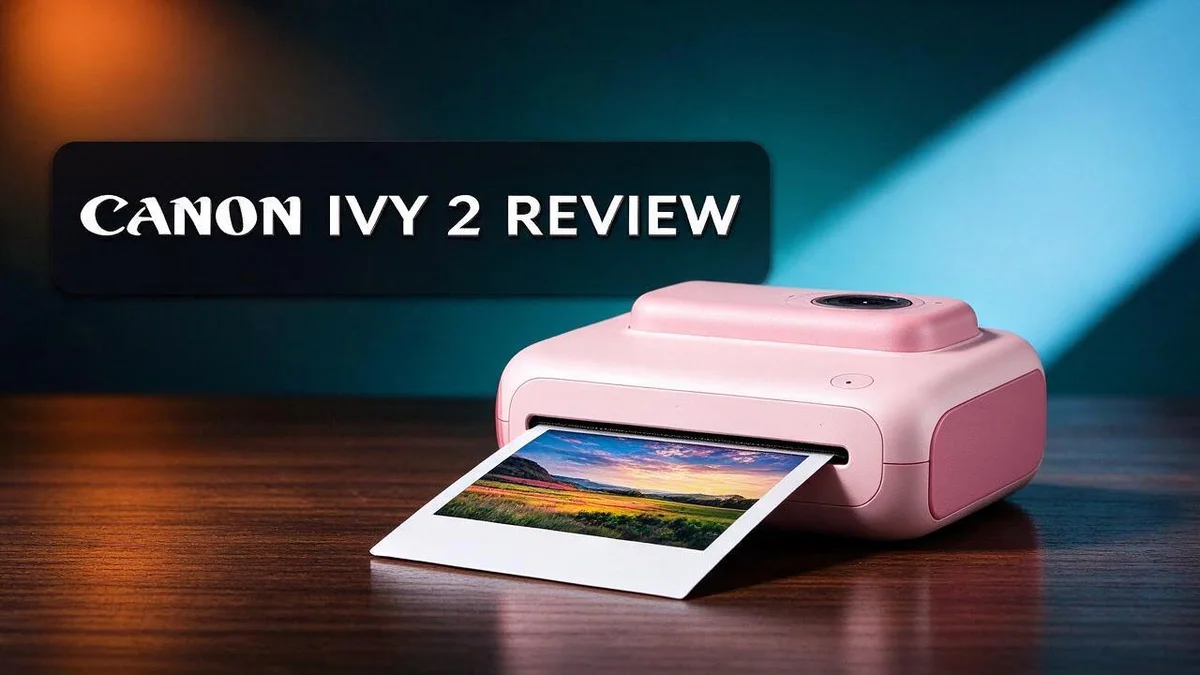
Canon Ivy 2 Review: Is This ZINK Mini Photo Printer Worth It?
Do you love snapping photos but hate waiting for prints? The Canon Ivy 2 might be the answer. This tiny printer turns your phone photos into real paper prints in seconds.
It uses ZINK technology, so you never need ink. Dye crystals sit inside the paper and bring your pictures to life.
Each print measures 2×3 inches. That size works well for journals, gifts, and sticking on your fridge.
Some people want a fast way to share memories. Others want a fun craft tool for their projects. The Ivy 2 fits both needs well.
In this review, we look at how the Ivy 2 performs. We cover print quality, daily use, and who should buy it. Let’s dive in.
In a Nutshell
-
Easy printing from your phone: Choose a photo from your camera roll with the free app. The print comes out almost right away, so you can share it while the moment still feels fresh.
-
Clear, pleasing prints: Colors look bright and natural for a small photo. Most people feel happy with the results, especially for casual snapshots.
-
Pocket size design: The printer fits in a bag or coat pocket. You can print on the go at a party, a trip, or a day out with friends.
-
Great for journaling: Add each print to a scrapbook, planner, or travel diary. Each photo tells a small story and helps you remember the day.
-
Speed similar to other ZINK models: You will not wait long for each photo. The print speed matches the original Ivy, so the experience feels familiar.
-
Best for small photo fans: The 2×3 size works well for wallet photos, notes, and gifts. If you want larger prints, you will need a different printer.
Print Quality and Color Accuracy

- Print and customize your photos directly from your smartphone or tablet via the Canon Mini Print App.(1)
- No ink needed! The IVY 2 Mini Photo Printer uses ZINK (Zero Ink) technology, which features colorful...
Last update on 2026-11-25 / Affiliate links / Images from Amazon Product Advertising API
Print quality decides whether a photo feels worth keeping. The Canon Ivy 2 delivers decent results that suit everyday moments. Reviewers at TopTenReviews also rate the output as decent overall.
The printer heats dye crystals built into the paper. Each color forms in layers, which creates the full image. This method avoids the wet look that some inkjet prints carry.
Color accuracy depends heavily on the photo you start with. Bright, well lit pictures usually print with the most natural tones. Dark or heavily filtered shots can turn muddy on the small paper.
Skin tones often look warm and soft in print. Blues and greens may appear richer than they do on a phone screen. This happens because paper reflects light differently than a glowing display.
Your phone screen plays a big role too. A very bright display can make a photo look darker once printed. Lower the screen brightness before you choose a shot, so your edits match the final result.
Simple tips can improve your results fast. Adjust brightness and contrast in the app before you print. Keep the image slightly lighter than you normally would, since shadows can lose detail.
Detail has limits at this small size. Fine text, tiny faces in group photos, and busy patterns can blur together. Close up shots with clear subjects give the strongest results.
Lighting in the room matters too when you take the photo. Soft daylight gives cleaner colors than harsh indoor bulbs. Try to shoot near a window for the best natural tones.
Test one print first before you make a full batch. Compare it with the original on your screen. Then adjust your settings for the next round of photos.
Overall, the Ivy 2 handles color with care for its size. Bold subjects and simple scenes shine the most. Choose your photos wisely, and the prints will likely please you.
Size, Portability and Design
The Ivy 2 feels light in the hand. Its frame feels balanced when you hold it. Most people can grip it with one palm.
Its design keeps things minimal. The body uses clean lines and a soft finish. It looks at home on a desk, a shelf, or a kitchen counter.
Few buttons mean less confusion. You mostly use your phone to choose and send a photo. The printer itself needs little attention once it is set up.
Cords can slow down a print session. The Ivy 2 has a battery inside its body, so you can take it anywhere. You do not need to hunt for an outlet before you print.
Paper handling stays simple. You load a fresh ZINK pack in a few seconds. The slot is easy to find, so you can reload on the go without a manual.
Travel days bring their own challenges. A small printer like this fits into a crowded backpack with room to spare. It also works well on a train tray or a hotel desk.
Its size suits short trips and long days alike. You can carry it in a day bag when you run errands. Keep it near your desk for quick prints during a busy afternoon.
Design also matters for gifting. The sleek look makes it feel like a fun gadget rather than a bulky office device. Friends often ask about it when they see it on a table.
A soft cloth keeps the outside looking neat between uses. The finish feels pleasant to touch every day.
Overall, the Ivy 2 fits well in real life. It stays out of the way in a bag, on a shelf, or in a gift box. Its compact frame makes it a practical companion for everyday moments. Few gadgets offer this much fun in such a small package.
Paper Format and Running Costs
The Ivy 2 runs on special ZINK paper. Each sheet holds the color crystals inside it. The printer heats those crystals, and the image appears on the page.
Each pack comes with a set number of sheets. Once the pack runs out, you swap in a new one. Plan ahead so you never stop in the middle of a fun session.
Keep a spare pack in your bag. This habit saves time when friends ask for prints at a party or trip.
The paper also has a sticky back. You peel the backing away and press the print onto a notebook, card, or mirror. No glue or tape is needed.
Storage matters too. Keep unused packs in a cool, dry drawer. Heat and moisture can dull the crystals before you use them.
Think about how many photos you want each month. A light user may only need one pack for weeks. A heavy user may go through packs quickly, especially when a group shares the printer.
Paper size stays fixed at 2×3 inches, so every print fits the same frames and albums. This makes planning simple. You can buy matching frames once and reuse them for years.
Crop photos before you print. The 2×3 frame is narrow. Trim your photo to fit the shape in the app first. This way, no part of the paper goes to waste.
Pick favorites to save paper. Print the shots that matter most. Save group photos for a single print later. Fewer test prints mean fewer sheets used.
Keep track of how many sheets remain. A small note on the pack box works well. Writing the date helps you spot patterns in your usage.
Check the pack count before a trip. Running out of paper far from home can be frustrating. A quick look at your supply keeps the fun going.
Top 3 Alternatives
Fujifilm Instax Mini Link

- PORTABLE SMARTPHONE PHOTO PRINTER: Compact, lightweight and easy to hold, the instax mini Link 3 features...
- PRINT PHOTOS FROM YOUR SMARTPHONE: Turn photos and favorite video moments from your Smartphone into...

Last update on 2026-11-25 / Affiliate links / Images from Amazon Product Advertising API
This printer gives you instant film style prints from your phone. It connects over Bluetooth, so setup feels quick. It uses Instax Mini film, which gives each photo a classic look.
Many people enjoy it for parties, trips, and family moments. You can pick your favorite photos and print them in seconds.
Polaroid Hi-Print

- THE EVERYTHING BOX: The Hi-Print Everything Box has everything you need to get started. This bundle...
- FIND IT, PRINT IT, STICK IT: It’s just that simple with Polaroid Hi-Print. Customize and print images...
Last update on 2026-11-25 / Affiliate links / Images from Amazon Product Advertising API
The Polaroid Hi-Print uses zero ink paper, so you never need to swap ink cartridges. It prints small photos straight from your phone. The compact body fits easily into a bag or pocket.
You can also add fun borders and filters in the app. This makes it a great choice for scrapbooks and gifts.
HP Sprocket

- Instant photos on the go – Easily print your favorite adventures on 2x3" sticky-backed photo paper with...
- Get the print party started – Now you can connect multiple devices so you and your friends can print at...
Last update on 2026-11-25 / Affiliate links / Images from Amazon Product Advertising API
The HP Sprocket also uses zero ink paper for fast and simple printing. It has a slim design that works well on the go. You can print photos, stickers, and more with the app.
It suits anyone who wants quick prints without extra fuss. Friends and family will love getting a photo they can hold right away.
Everyday Uses and Creative Projects
The Ivy 2 fits easily into creative routines at home. Its small prints open the door to many fun ideas.
Make a photo garland for a birthday or baby shower. Clip tiny prints to a string with mini clothespins. Guests enjoy looking at each memory as they walk by.
Build a memory jar for the family. Write a short note on the back of each print. Pull one out on busy days for a quick smile.
Scrapbook pages also welcome these little prints. Pair them with ticket stubs, pressed leaves, or handwritten notes. Washi tape makes a neat border around each photo.
Design greeting cards that feel personal. Glue a print onto folded cardstock and add a short message. Grandparents often keep cards like this on their fridge for months.
Kids can enjoy the printer too. Let them pick a favorite drawing or a pet photo. They can decorate the border with markers and stickers.
Create a visual planner for weekly goals. Print a photo of a healthy meal, a long walk, or a finished task. Stick it beside each day in your planner.
Progress feels more real when you see it on paper. Friends may even join in and share their own prints each week.
Travel journals work well with this printer. Add a print to each page as you explore a new town. Ticket stubs and map sketches fill the spaces between the photos.
Try a themed collage for a party table. Print guest photos and place them in small frames. Each frame becomes a name card or a favor. Guests take home a tiny keepsake they will treasure.
Overall, the Ivy 2 turns everyday moments into small works of art. Its size invites play, experimentation, and quick gifts for the people you love.
Print Speed and App Workflow
Fast prints make the Ivy 2 fun to use. You do not wait long for each photo. Once the file reaches the printer, the image comes out almost right away.
The app keeps the process smooth. Install the free app on your compatible iOS or Android phone first. Then open your camera roll and scroll through your favorite moments. Each shot moves to the printer with just a few taps.
Speed stays close to other ZINK models. Reviewers said the first Ivy performs on par with other ZINK printers. The Ivy 2 follows that same pattern. You can expect a similar rhythm when you print a short batch.
Quick results help you test ideas. Try a photo with brighter colors or a different angle. Print it again and compare the two results side by side. Fast feedback saves time and helps you learn what works best.
Prep helps you avoid pauses. Open the app and gather the photos before the event starts. Keep your phone charged so the connection stays steady during the session. A little planning means more smiles and fewer waiting moments.
Stay close while files send. Keep the phone and printer within easy range during each session. This simple habit prevents delays. You can chat with friends while the photos appear.
Sessions feel natural with a steady rhythm. Print one photo, admire it, then move to the next. Many people enjoy this back and forth pace. It turns printing into a fun social activity instead of a chore.
Plan a short session for busy days. Choose five to ten photos for a quick print run. Small batches keep the energy high and make the process easy to manage.
Finish with a quick review. Look over each print as it comes out. Set aside the best ones right away so they stay safe and easy to find.
Pros and Cons
Pros
- No ink needed, so you skip cartridge swaps.
- Pocket size fits easily into a bag or coat.
- Decent print quality for everyday snapshots.
- Print speed stays on par with other ZINK printers.
- Handy for journaling pages and quick memory notes.
Cons
- Works only with compatible iOS or Android phones.
- Colors and fine detail stay modest compared with standard prints.
- Tiny prints may feel too small for wall displays.
- Many rival mini printers offer similar features.
Who Should Buy It
The Ivy 2 suits people who want more paper memories. Many of us take hundreds of photos that never leave our phones. This little printer brings those moments into the real world.
Busy parents often enjoy this kind of quick win. A first smile or a funny face can land on the fridge in minutes. Little ones grow fast, so a shelf of tiny prints tracks that change over time.
Students and teachers may find it useful too. A photo of a science diagram can become a handy flashcard. Teachers can print class work and turn a bulletin board into a colorful display.
Travelers who collect small keepsakes will likely love it. Each stop on a trip can produce one tiny print for a travel notebook. You do not need a bag full of gear to capture the day.
Grandparents often prefer paper over screens. A printed snapshot from a family visit can mean more than a quick text message. Many older relatives keep these prints in wallets or on dressers for years.
Anyone who dislikes complicated gadgets may appreciate the simple setup. You pick a photo, tap print, and wait for the paper to appear. There is little to learn, so the tool feels friendly from the start.
Heavy printing needs may call for a different machine. Someone who prints dozens of photos every day may want a larger model built for big batches. The Ivy 2 works best for small, steady sessions.
Digital album lovers may skip it. People who enjoy scrolling through a phone gallery may not feel the pull for paper. This printer suits people who value a tangible touch.
The best buyer enjoys creating with photos. If you like turning pictures into something you can hold, the Ivy 2 may be a fun addition to your home. It rewards people who enjoy small, personal projects.
Final Verdict
The Canon Ivy 2 earns a strong place for people who love holding real photos. It does one job well. It turns phone snapshots into tiny paper keepsakes within moments.
Start by thinking about your own habits. If you print only now and then, this device fits nicely into your routine. If you want large wall displays, you may need a different tool.
A few simple questions can guide your choice. Do you enjoy sharing moments with friends at parties? Do you like decorating journals or scrapbooks? If so, the Ivy 2 may feel like a natural match.
Keep your expectations realistic, though. Colors look softer than standard prints, and busy scenes can lose some detail. These limits do not ruin the fun, but they shape where prints work best.
Small prints also make thoughtful gifts. Tuck one into a birthday card or a thank you note. The personal touch often surprises people more than a generic gift.
Creative uses go beyond the fridge. Slip a print into a wallet or a planner. Each small image can carry a story for years.
Overall, the verdict is positive. The printer offers a playful way to turn digital images into physical memories. Its simple setup and portable size make it easy to bring along.
It works best as a companion for everyday moments. It does not replace a full photo printer for large projects. Think of it as a fun extra that adds charm to your collection.
Keep the app updated and save favorite shots in one album. Clear out old shots before each session so you can choose faster. A little preparation goes a long way.
My advice is to test it with a few favorite shots first. You will quickly see whether the small size and gentle tones feel charming or limiting. Either way, you walk away holding a memory you can touch.
Frequently Asked Questions
How does the Canon Ivy 2 make color without ink?
The printer uses ZINK paper, which has dye crystals built into each sheet. Heat from the printer turns those crystals into color, so the paper does the work.*
Which photos look best on the Ivy 2?
Bright shots with one clear subject work best. Close faces and simple backgrounds show the most detail. Dark or busy photos can look muddy at this small size.
Can the Ivy 2 replace a regular photo printer?
Not really. It makes tiny 2×3 inch prints only. For large photos or documents, a standard home printer still fits better.
How many prints come in one pack of paper?
Pack sizes vary, so check the sheet count on the box. Choose your shots carefully so each sheet counts.
Is the Ivy 2 a good choice for kids?
Many families enjoy it. The tap to print process feels simple for young users. An adult should still supervise the device and keep an eye on the paper supply.

I’m the voice behind Device Dossier. As a printing technology enthusiast, I spend my time testing printers, comparing specs, and writing honest reviews to help you find the perfect printing solution. When I’m not geeking out over print quality and page yields, you’ll find me exploring the latest in tech.